Batch work
Drop several preview shots into ARQ and let them move through a controlled production set.
AI render queue
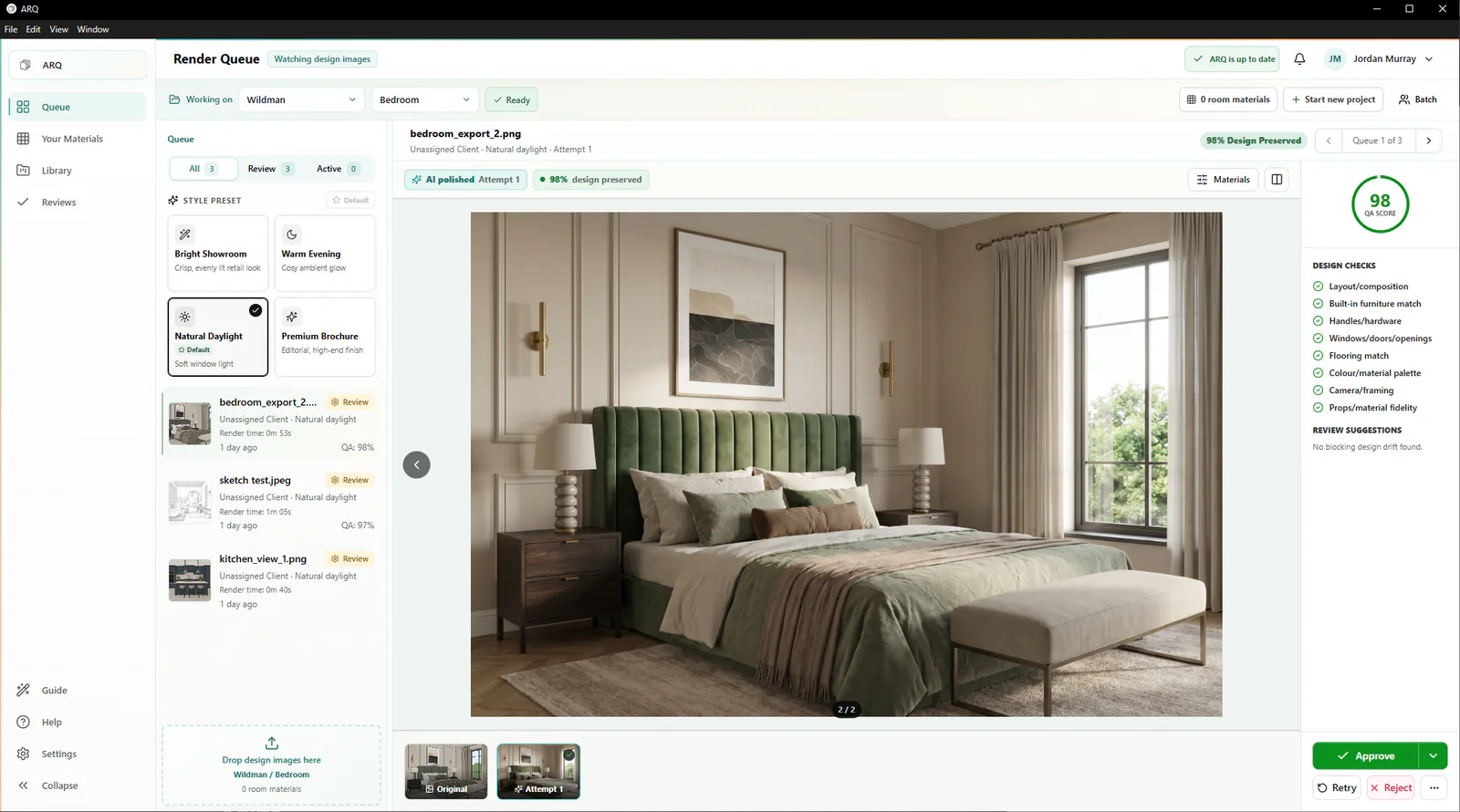
Queue multiple KBB and interior design images, carry on with the day, and return to polished attempts that ARQ has automatically checked against the originals, ready for review, retry, or approval.
Batch production after design, not another tab your designer has to babysit.
Built for bursts of work
KBB and interior render work often arrives in bursts: several angles for one client, multiple room options, or several designers preparing follow-up presentations. A queue turns that into a repeatable production flow instead of a series of manual one-off tasks.
Drop several preview shots into ARQ and let them move through a controlled production set.
Designers do not need to sit inside a generic AI tool while each image completes.
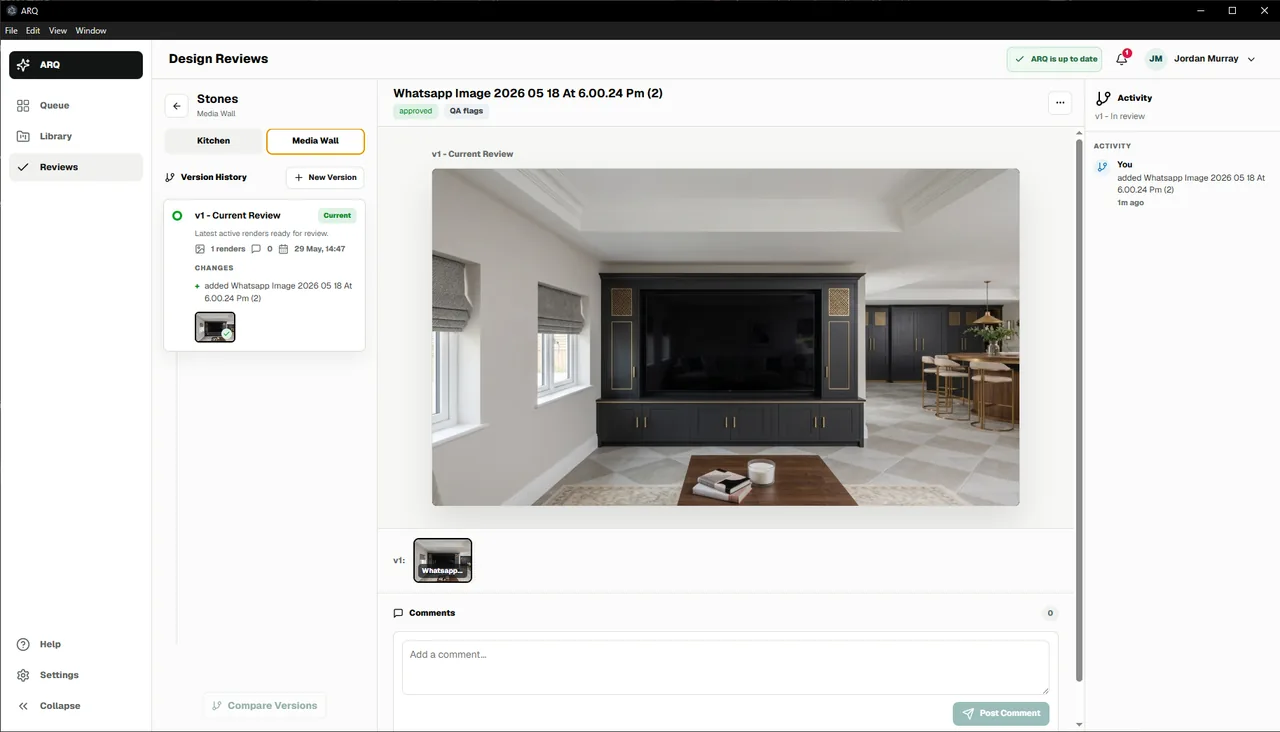
Each render keeps its room, original design image, attempt history, QA result, and approval state.
More than processing
The queue is only the beginning. ARQ connects render processing to automatic checks against the original design, retry prompts, review comments, human approval, and shared room storage.
The queue in context
Use JPG or PNG images from the design software your team trusts.
Let multiple renders move forward while designers carry on.
See ARQ's automatic comparison and compare the result with the original.
File the chosen render against the right client and room.
Before you batch
ARQ is designed around queued production. Designers can add multiple design images and let the app work through them while keeping review and approval state visible.
No. The queue reduces repetitive production effort and ARQ handles the automatic comparison with the original design, but human approval remains part of the workflow before client use.
The team can retry, edit, or reject the attempt before it reaches a client.
Continue exploring
See it under real load
A 14-day free trial uses real rooms to assess output quality, review fit, and production flow before a wider rollout.
Try ARQ now!