Render queues
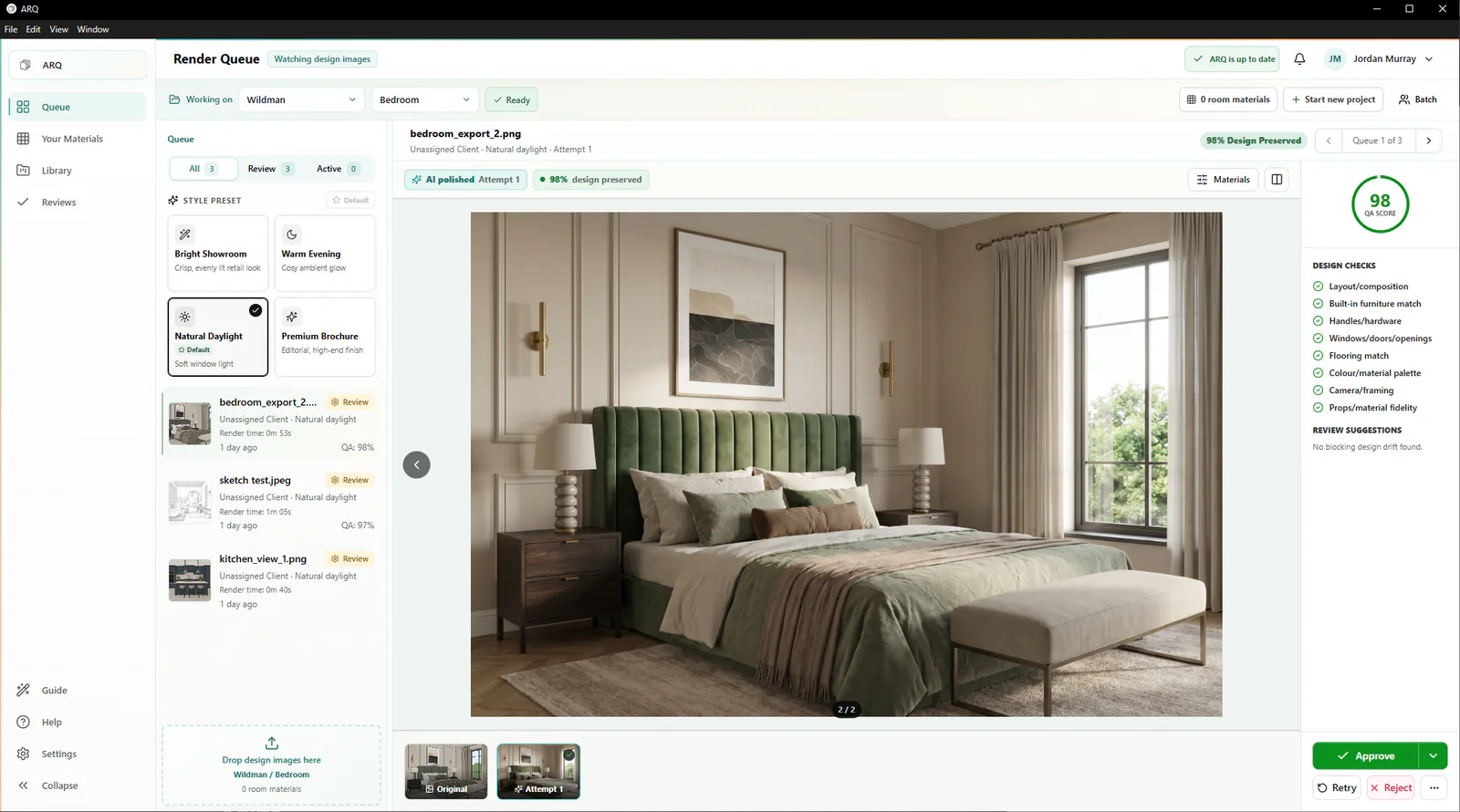
Batch design images so designers can move on while ARQ works through the next set of rooms.
Kitchen showroom rendering software
ARQ gives KBB showrooms one after-design route from existing design images to polished client presentations: queued render production, automatic checks against the original design, human approval, and organised client rooms.
Built for designers, reviewers, and the owners funding the workflow.
A showroom system
Several designers, several rooms, follow-up appointments, and senior sign-off can all be moving at once. ARQ makes render production visible and repeatable instead of leaving it inside individual prompt histories and download folders.
Batch design images so designers can move on while ARQ works through the next set of rooms.
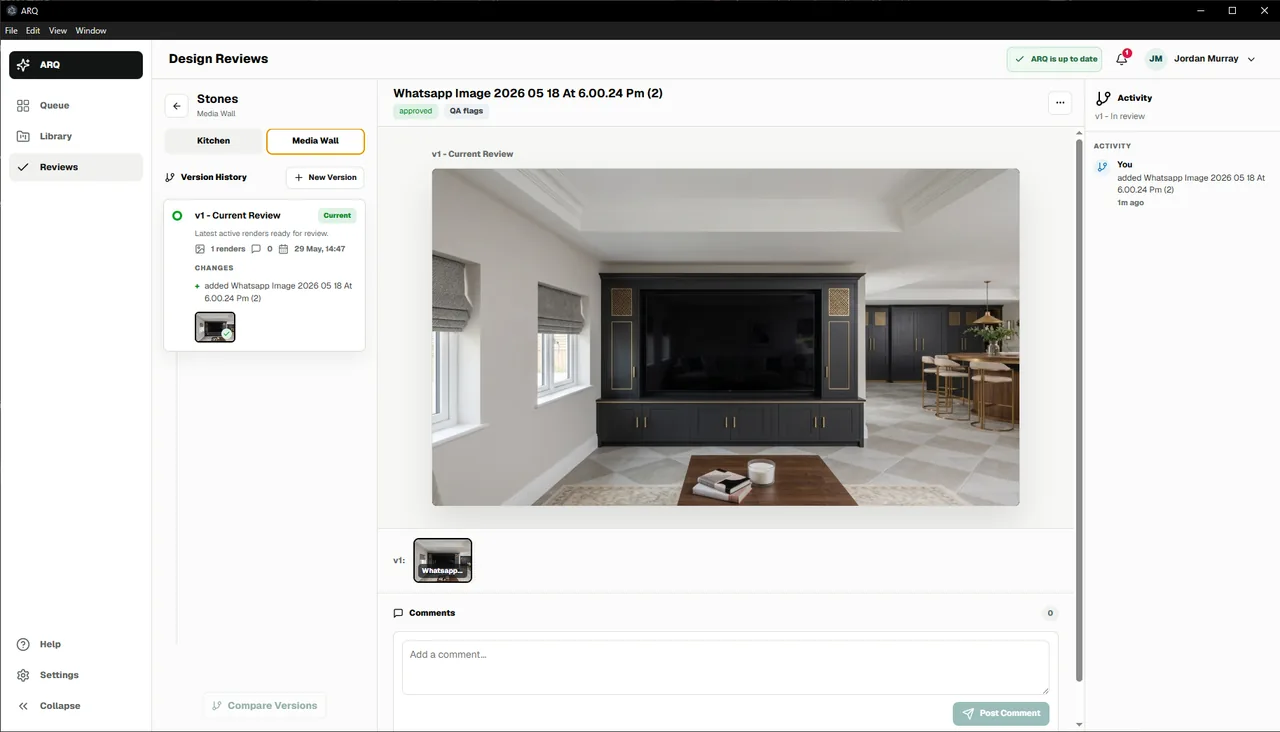
Keep comments, attempts, QA results, approvals, and rejections attached to the render work.
Store approved renders, moodboards, and presentation assets where the team expects them.
Team handoff
ARQ keeps the source, generated attempts, automatic comparison result, comments, and approval state together. The same structure supports kitchens, bedrooms, bathrooms, fitted furniture, and wider interior schemes.
The route through ARQ
Your specialist design process remains unchanged.
ARQ handles render production while the team moves on.
ARQ's automatic comparison supports a responsible approval decision.
Use approved renders in client rooms, moodboards, and cinematic reveals.
Buying questions
Yes. ARQ works from JPG, JPEG, and PNG design images, so it can fit around the kitchen design tools and CAD workflow a showroom already uses.
The workflow layer: queues, automatic design checks, rooms, approvals, library storage, workspace access, usage limits, and spend controls.
Yes. A showroom can start with a 14-day free trial, then choose Starter, Studio, Showroom, or Pro based only on the monthly render quantity it needs.
Continue exploring
Start with evidence
Test the workflow on real design images before asking the team to adopt it more widely.
Try ARQ now!