Your team uploads a finished export
ARQ accepts design images such as JPG, JPEG, and PNG files from kitchens, bedrooms, bathrooms, and wider interior projects.
Security & data handling
ARQ handles business design exports, generated renders, review notes, and workspace access. This page explains what moves through the service, why it is processed, and where your team's decision remains essential.
Clear information about your images, workspace access and approval controls.
Design exports, generated renders, comments, and approvals belong to the customer workspace.
Authenticated users are assigned owner, admin, or designer responsibilities within a company workspace.
Automatic checks support review. They do not guarantee perfection or replace the final approval decision.
The data journey
Security language should be specific enough to inspect. These are the practical stages that support the ARQ workflow.
ARQ accepts design images such as JPG, JPEG, and PNG files from kitchens, bedrooms, bathrooms, and wider interior projects.
Trusted providers may support hosting, storage, authentication, payments, email, AI model processing, monitoring, and support. They receive the information needed for their part of the service.
ARQ automatically checks for possible design changes and keeps source, attempts, comparison notes, retries, and review context connected.
The reviewer approves, retries, or rejects the output before it is relied on for a client presentation.
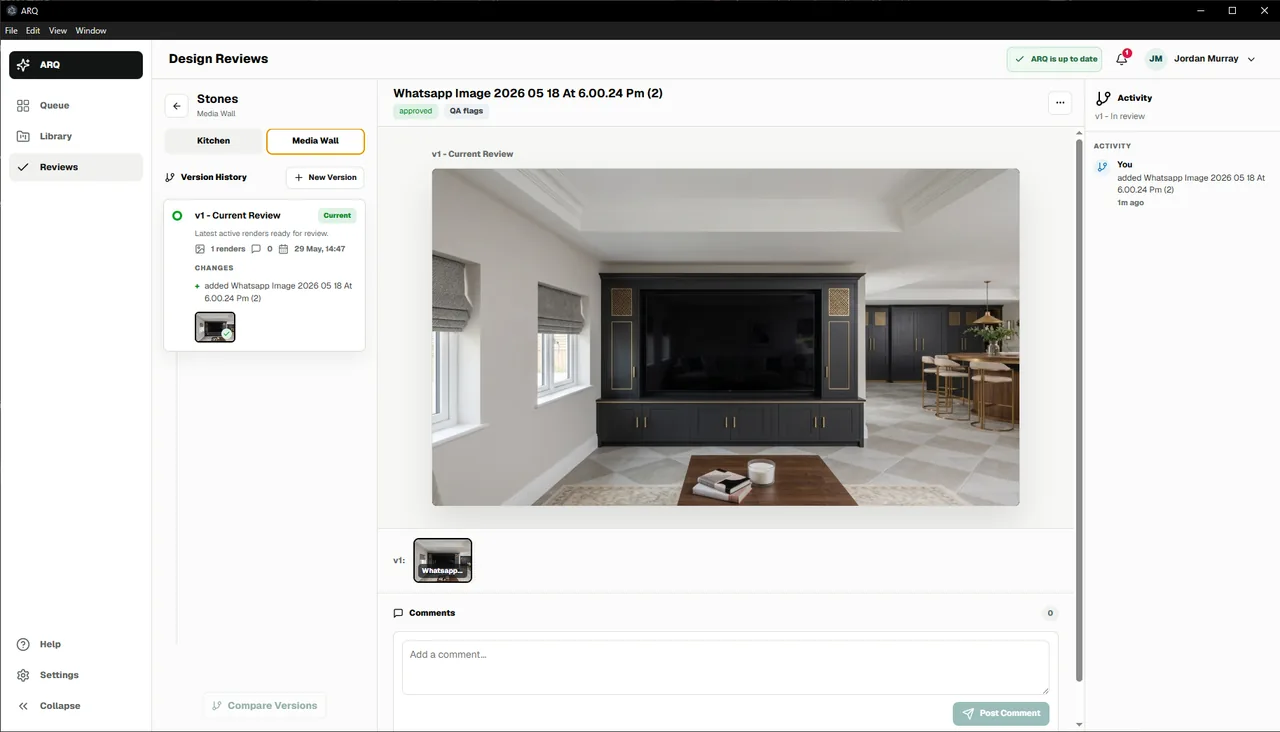
Review is part of the control
ARQ keeps the source, generated attempts, comparison context, comments, and approval state visible so teams can review the work in context.
Clear answers
The policies below explain the current service and data handling so your team can assess ARQ with the information it needs.
Your design exports, generated renders, comments, and approvals belong to your workspace. ARQ processes them to provide rendering, QA, storage, review, support, and service security.
Payment and subscription workflows use payment-provider infrastructure rather than ARQ storing raw card details directly.
Account, billing, support, and audit records are kept as needed for service, legal, dispute, and security purposes. Render retention depends on the plan and workspace settings.
The public website works with essential storage. Optional Microsoft Clarity, Google Analytics, and Meta Pixel tracking loads only after analytics consent.
Common questions
Access is based on authenticated users and tenant roles. Workspace owners and admins manage who is invited to the customer account.
Yes. ARQ automatically flags possible changes, but a person still makes the final approval decision before client use.
No. Payment and subscription workflows are handled through payment-provider infrastructure rather than ARQ storing raw card details directly.
Email support@arq-renderer.com with a security, privacy, account, or data-handling question.
Need more detail?
Tell us what your showroom, interior team, or internal reviewer needs to understand. We will explain the current controls and data handling relevant to your team.