AI render queue
Batch JPG or PNG design exports and let ARQ process render work while designers continue other tasks. Keep creating while ARQ handles what comes next.
The ARQ workflow
ARQ turns existing design exports into polished client-ready renders, checks for possible changes, and carries approved work into moodboards, client rooms, and cinematic presentations.
Start with one room. 10 free render credits plus one Cinematic Reveal. No card required.
SC Reviewing Miller v3 comments
EW Preparing Chen brief
JM Uploading Brooks exports
Production and control
Batch JPG or PNG design exports and let ARQ process render work while designers continue other tasks. Keep creating while ARQ handles what comes next.
ARQ automatically compares each attempt with its source and flags possible changes across layout, cabinetry, materials, products, windows, props, and camera angle. Protect the details that make the design yours.
Keep comments, retry decisions, approvals, and attempt history attached to each render.
Organise approved visuals by customer and room so final renders are easy for the team to find. Give clients somewhere worth revisiting.
Make targeted render changes while keeping the source, QA, and approval workflow intact.
Use render allowances, workspace access, library controls, and spend caps to keep rollout predictable.
After approval
ARQ helps a finished design create a stronger client moment, without turning the original room into a generic AI concept.
Build anticipation with a client-ready reveal created inside ARQ.
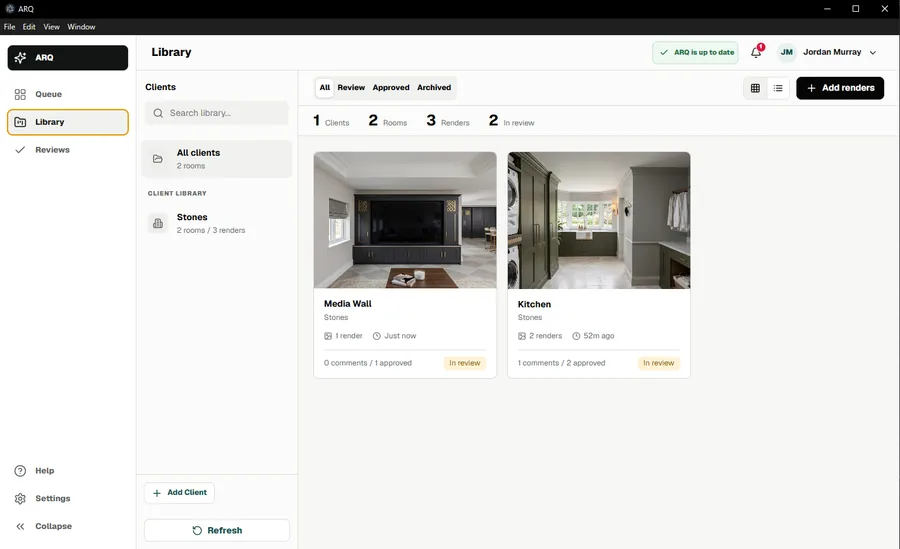
Organise work by client and room instead of losing it in downloads.

Create a client-friendly moodboard from the finished visual to gather quick reactions and build excitement.
Save confirmed finishes and presentation choices, then use focused project palettes to guide future renders.
Develop the presentation with material references, automatic design comparison and a clear approval step. Your designer checks the finished result against the original and selected finishes before sharing it.
Built for real teams
ARQ occupies the operational middle ground between design software and client presentation. Designers keep judgement and approval; owners gain a repeatable production system around the output.
Plan limits and reset dates stay visible to workspace owners.
Access controls
Spend cap
Library access
Overage alerts
Understand plan fit through monthly render volume.