Automatic comparison before approval
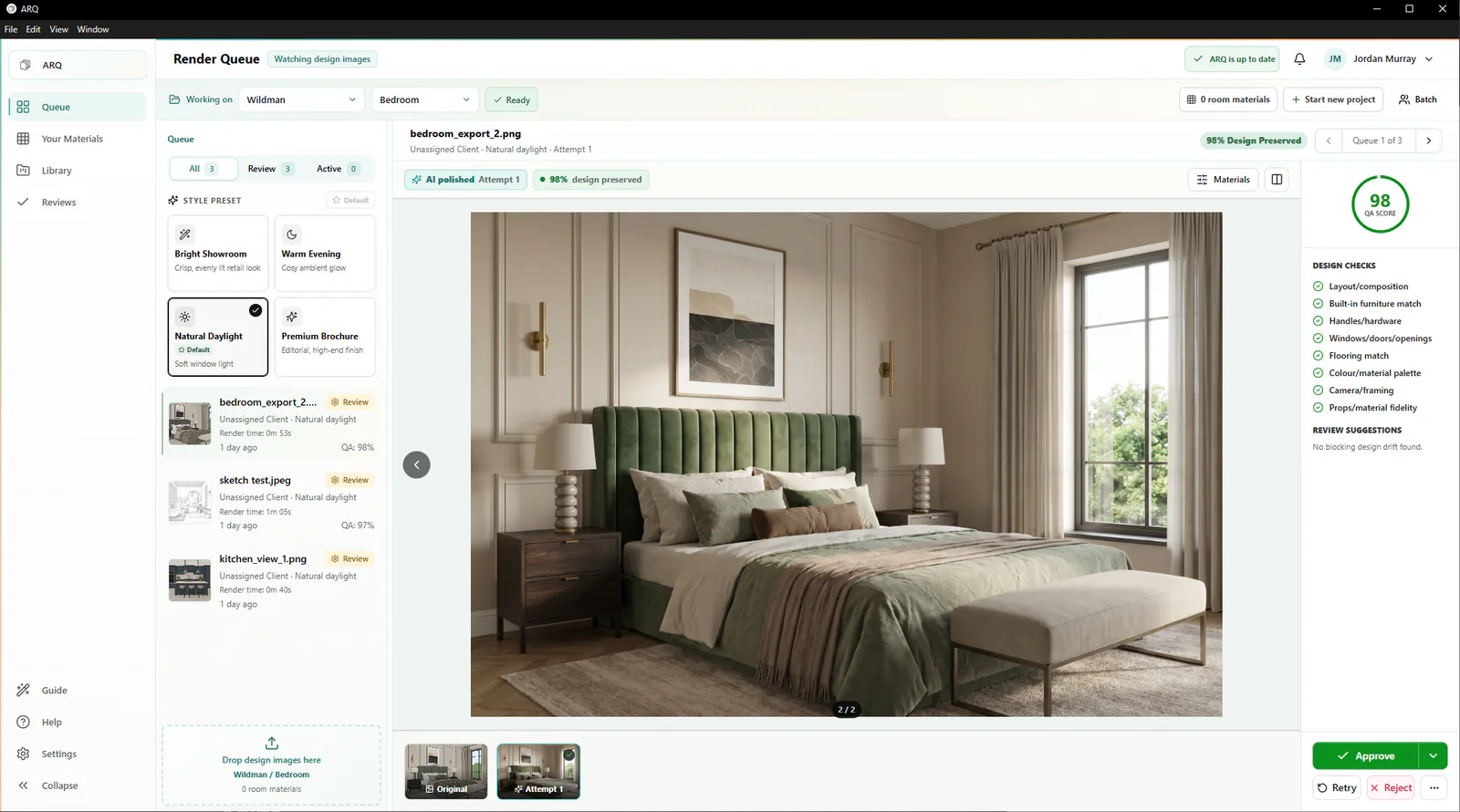
ARQ checks the layout, fitted elements, products, colours, openings, and camera framing against the original design.
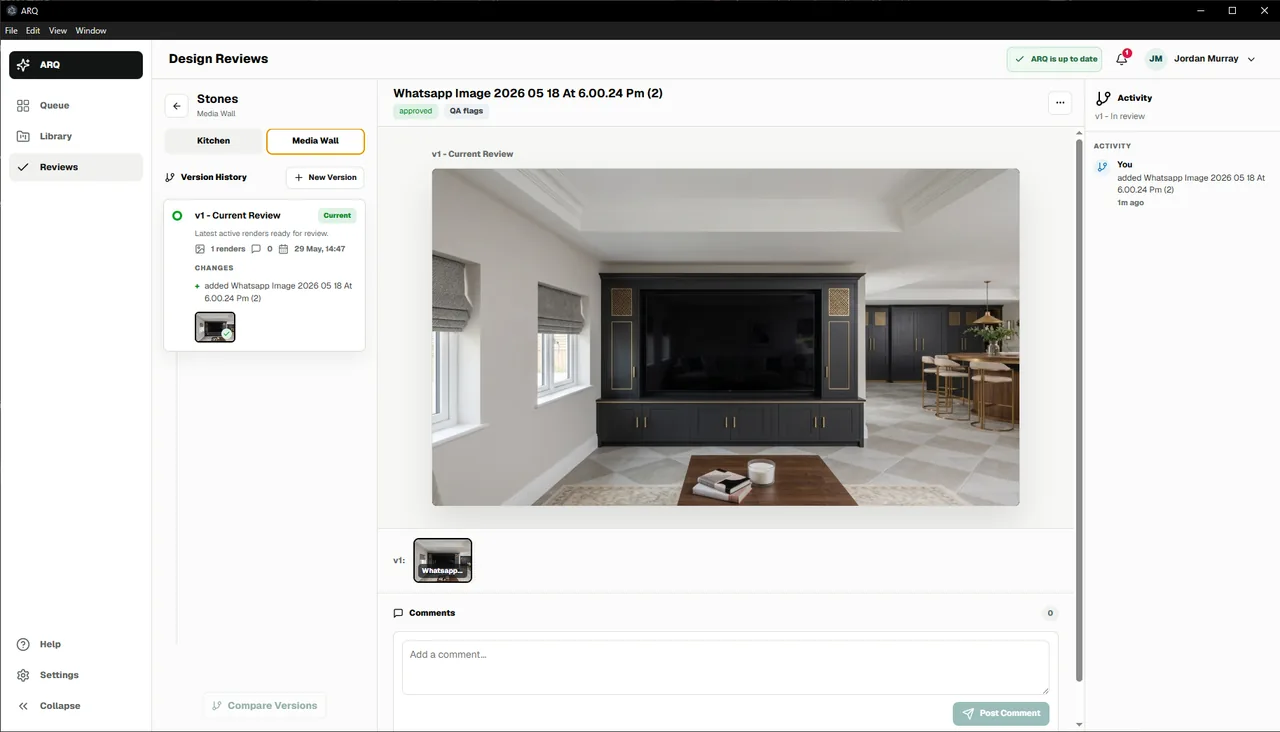
Kitchen render review workflow
ARQ compares each AI-enhanced render with the original design image, flags possible changes automatically, and keeps comments, retries, accepted issues, and final approval attached to the room.
Automatic comparison supports review. A person still makes the final decision.
Why review matters
A render can look impressive while still changing important design details. ARQ automatically checks the result against the original design and keeps any possible changes visible so a responsible reviewer can approve, override, or request another attempt. The same process works across kitchens, bedrooms, bathrooms, fitted furniture, and wider interiors.
ARQ checks the layout, fitted elements, products, colours, openings, and camera framing against the original design.
Keep feedback attached to the render attempt rather than scattered across email, chat, and file names.
Make the next action explicit: approve, retry, accept a known issue, reject, or continue editing.
Responsible decisions
ARQ review boards help the person responsible for quality understand the full render story: original design image, generated output, comparison notes, attempts, comments, and approval state.
Claims discipline
Review details
ARQ checks for possible changes to layout, cabinet runs, appliance placement, worktops, colours, windows, and camera angle. The reviewer uses those flags alongside the client brief to make the final approval decision.
Yes. Manual QA override means the designer accepts the flagged attempt. That state should remain visible so the team understands the decision.
The goal is the opposite: make review faster and clearer by putting attempts, comparison notes, comments, and approval state in one place.
Continue exploring
Use your own design
A 14-day free trial is the clearest way to assess output quality, automatic design checks, approval confidence, and whether ARQ fits your production process.
Try ARQ now!