Render production
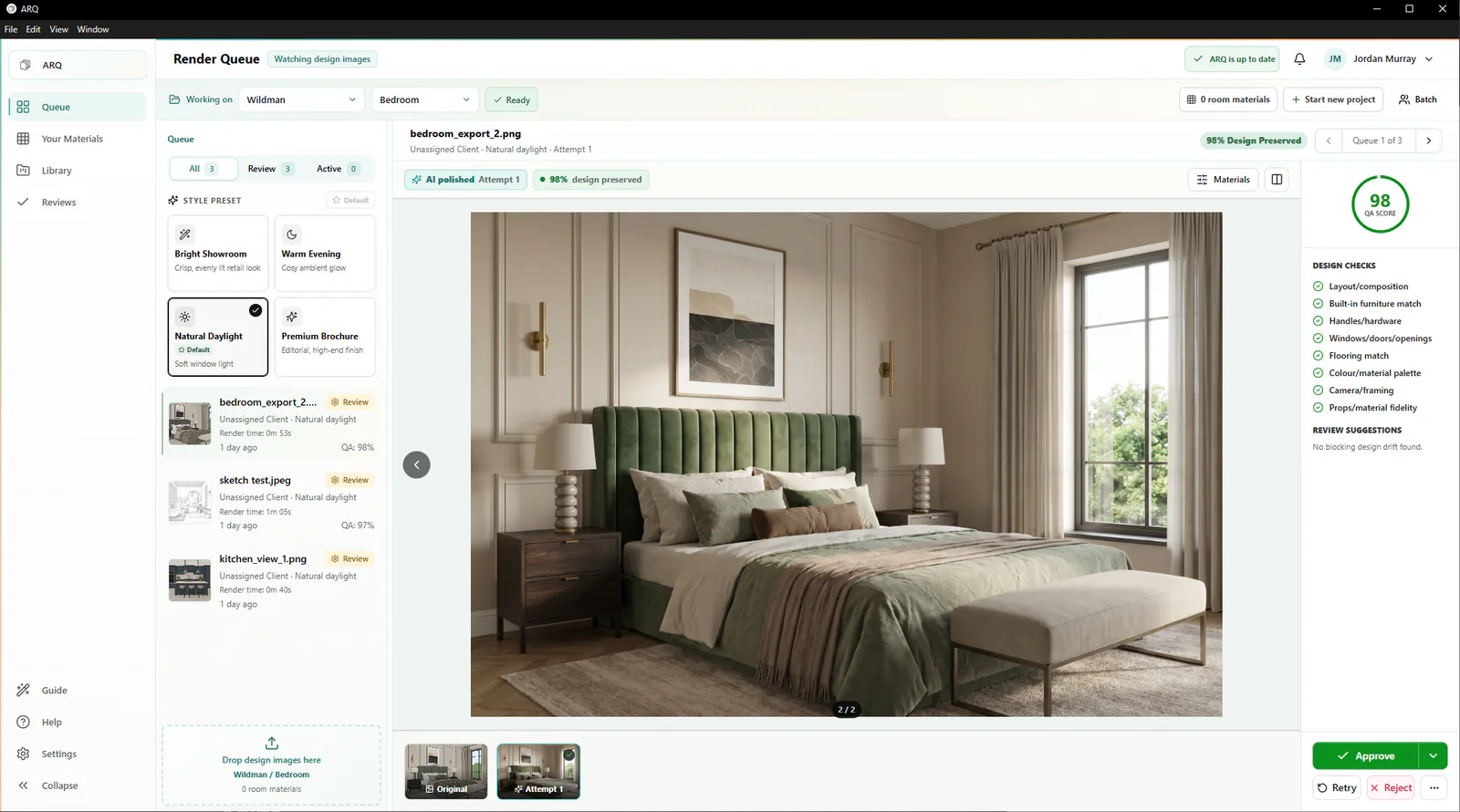
Queue batches of design images and keep the original, attempt, QA, and approval data together.
KBB Render alternative
If you are comparing KBB rendering options, ARQ is built around everything after the design is ready: queued production, automatic checks against the original design, human approval, client organisation, and presentation assets.
No invented benchmark. Compare using the same original design images.
A fair comparison
ARQ gives showroom teams a complete workflow around their design images: queued rendering, automatic comparison, human approval, organised client rooms and presentation tools. Every paid plan includes the whole team and full product; choose the monthly render allowance your business needs.
Queue batches of design images and keep the original, attempt, QA, and approval data together.
ARQ compares each result with the original design and flags possible changes before human approval.
Organise approved renders by room, then carry them into moodboards and cinematic reveals.
Buying matrix
Compare the complete job your team needs to deliver: creating the render, reviewing it, finding the approved version and preparing the client presentation. Use the checklist to assess the value of each workflow.
This table describes workflow categories, not the current feature set of any named competitor. Product capabilities and pricing can change, so buyers should verify them directly.
Comparison questions
No. This page explains ARQ's positioning. Buyers should choose the tool that best matches their workflow, team size, review needs, and commercial fit.
Compare input workflow, output quality, review controls, team access, pricing transparency, render limits, client-room organisation, and support during rollout.
Yes. A 14-day free trial can use real design images to assess whether ARQ's workflow saves time and protects design quality in practice.
Continue exploring
Use the same source
Use the same room design images, then judge the output quality, review control, organisation, and presentation value.
Try ARQ now!