Use design images you already make
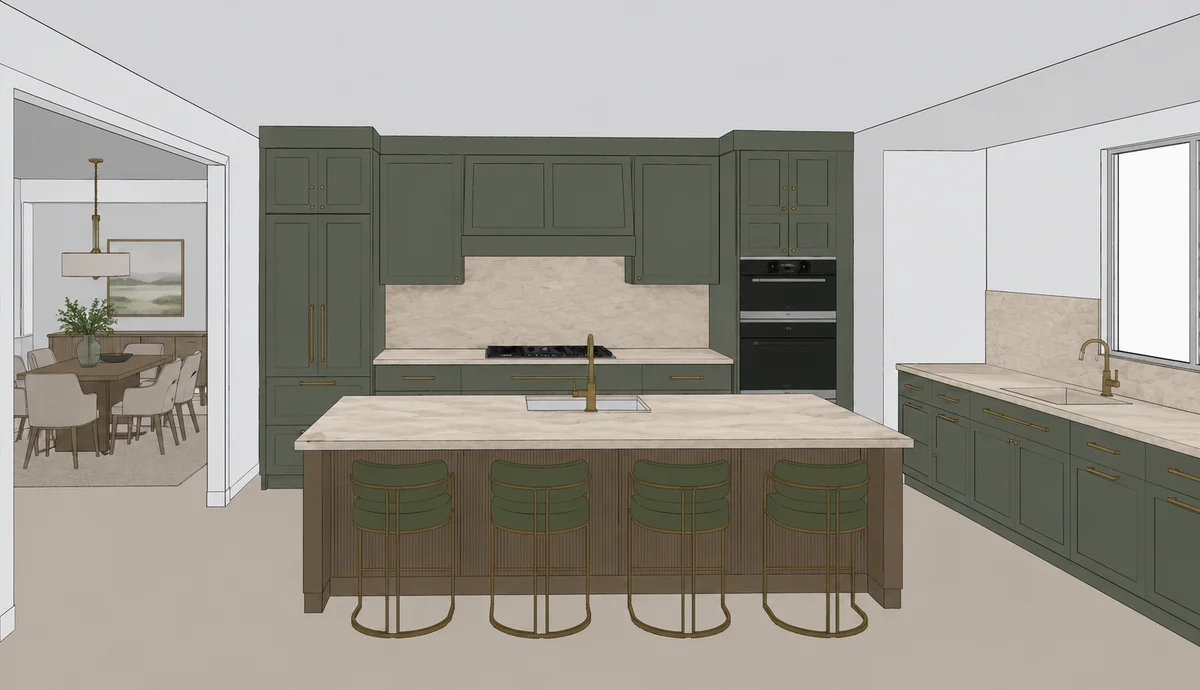
Start with JPG, JPEG, or PNG views from your current kitchen, KBB, CAD, or interior design workflow.
For kitchen and interior designers
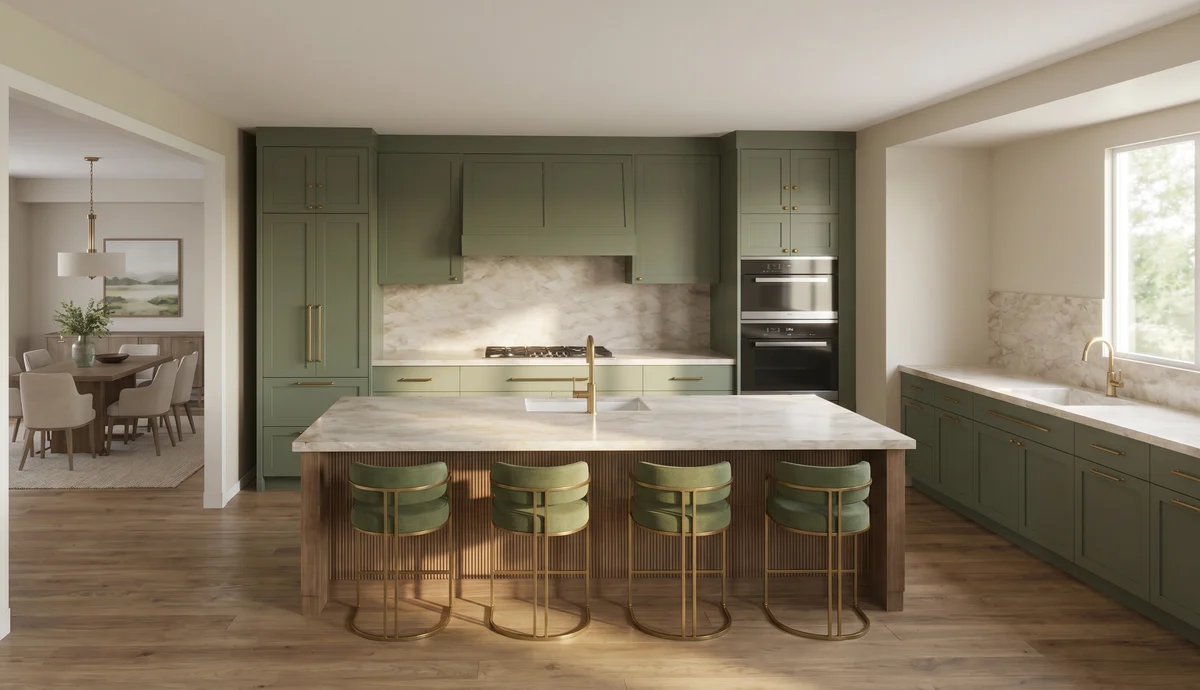
Finish the design in the tool you already know. ARQ takes the design image through render production, automatically checks it against the original, and gives you a cleaner route to the client presentation.
You design. ARQ handles the repetitive production around the render.
Protect creative time
Generic AI can swap rendering time for prompting time. ARQ is designed to remove that trade: a structured workflow after design, with the original, attempts, checks, and final output kept together.
Start with JPG, JPEG, or PNG views from your current kitchen, KBB, CAD, or interior design workflow.
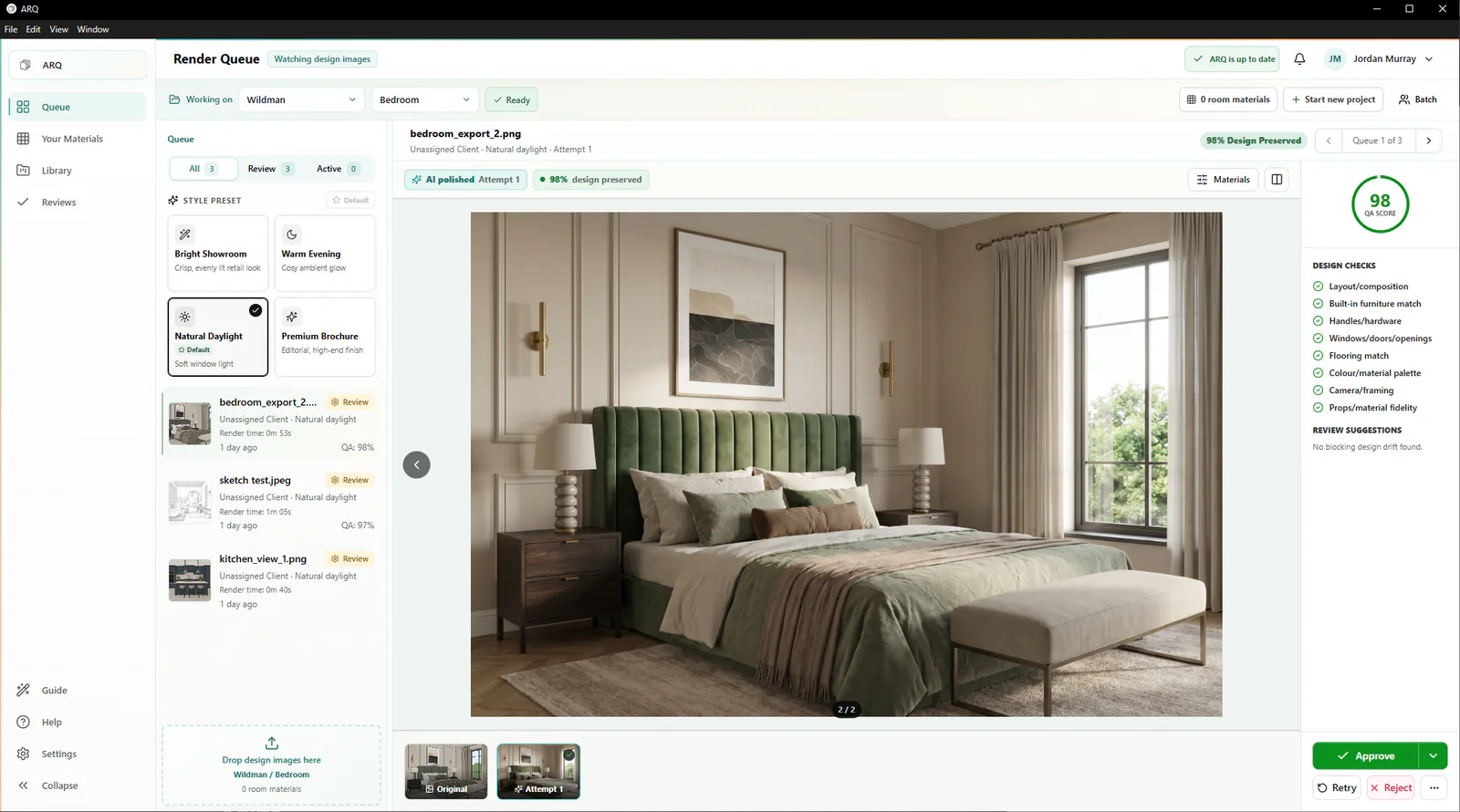
Keep the source, generated images, automatic comparison notes, and approval decision in one place.
Move an approved render into client rooms, moodboards, and cinematic presentations without rebuilding the story.
Designer control
ARQ handles repetitive render production and automatically compares each result with the original design so you can decide whether an output is ready, needs retrying, or should be rejected. The same workflow supports kitchens, bedrooms, bathrooms, fitted furniture, and wider interior projects.
Where your work goes next
Send the finished design image into ARQ.
Let the queue generate polished attempts.
Use ARQ's automatic comparison to support your final review.
Build client excitement with approved renders and presentation assets.
Practical questions
ARQ is built to reduce prompt wrestling by using a structured workflow, presets, and controlled edits around the original design image.
Yes. ARQ works from JPG, JPEG, and PNG design images, so it can sit after your current design software rather than replacing it.
ARQ automatically compares the result with the original design and flags possible changes so a designer can approve, retry, or reject the render before sharing it.
Continue exploring
See it on your work
Use a few real KBB or interior design images to assess the output, the automatic checks, and the presentation value.
Try ARQ now!